Math
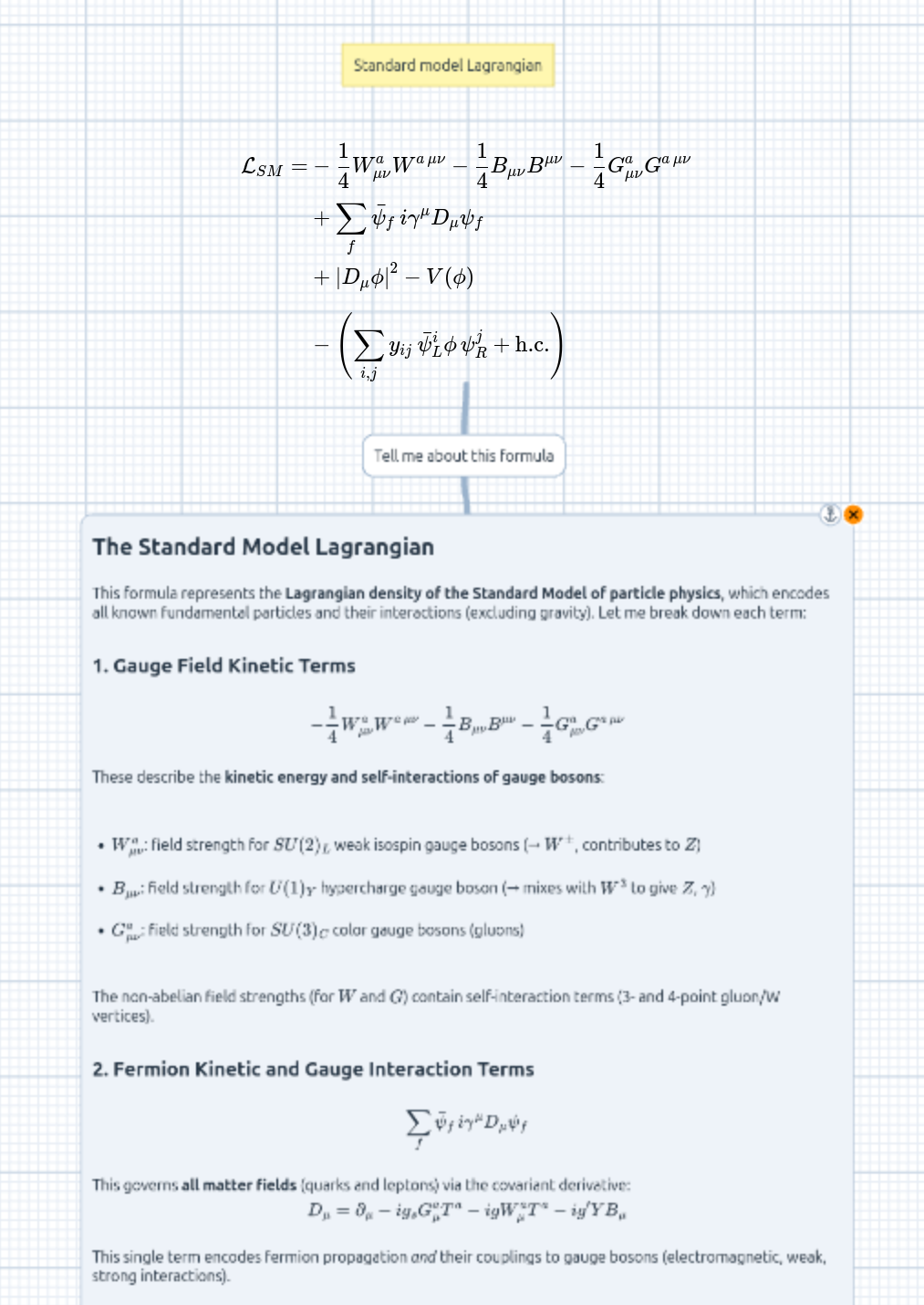
The Math submenu of the right-click menu holds two items for mathematical content: KaTeX — LaTeX formulas typeset directly on the board — and JSXGraph — interactive geometry and function plots. On top of that, TeX math inside chat bubbles is typeset automatically, and every formula on the board carries a + to ask the LLM about it.
Off by default. The Math items are newer features and don’t appear in the right-click menu until you switch them on: open the hamburger menu (top-left) → Features and toggle KaTeX and/or JSXGraph under Math. The change applies on your next right-click.
KaTeX formulas
Right-click → Math → KaTeX drops a LaTeX formula rendered with
KaTeX directly on the board — just the typeset math,
no bubble or chrome around it (like a Chart). Write standard
KaTeX-compatible LaTeX in display mode — no $…$ delimiters needed:
x = \frac{-b \pm \sqrt{b^2 - 4ac}}{2a}
On the board a formula behaves like the other bare items:
- It pans and zooms with the canvas, and drags to move.
- Untouched it sits at its natural size; a hover corner grip resizes it — the rendered math scales to the chosen width, keeping its aspect (like an image).
- A hover × removes it, and the ⚓ badge pins it in place.
Double-click the formula to edit it: a floating source editor opens over it (monospace, line-numbered — the same editor as the Chart’s). Submit (the button or Ctrl/Cmd+Enter) re-renders; submitting an empty editor removes the formula. Invalid LaTeX renders an inline error message you can fix and re-submit.
The editor carries the 🪄 magic wand: describe the
formula you want (“the quadratic formula”, “Maxwell’s equations in differential
form”) — or paste LaTeX to improve — and the configured LLM streams the markup
straight into the editor. A %> comment marks a targeted edit for the wand
to apply rather than rewriting everything.
Ask the LLM about an equation
Every formula has an orange + on its bottom edge (revealed on hover, like the code cells’). Clicking it opens the chat composer just below the formula — type a question (“expand this”, “what does the second term mean?”) and Send:
- The question drops as a normal chat turn, answered beneath, and a Bézier connector joins the formula to your message.
- The LaTeX source is not pasted into the message — the bubble stays just your question. Instead the formula’s current source is invisibly attached to the LLM request, the same way linked images ride along with a vision message. Because it’s resolved at request time, editing the formula and regenerating the answer asks about the up-to-date equation.
- Hover the connector and click its × to detach — the message becomes an ordinary chat bubble and stops carrying the formula.
JSXGraph constructions
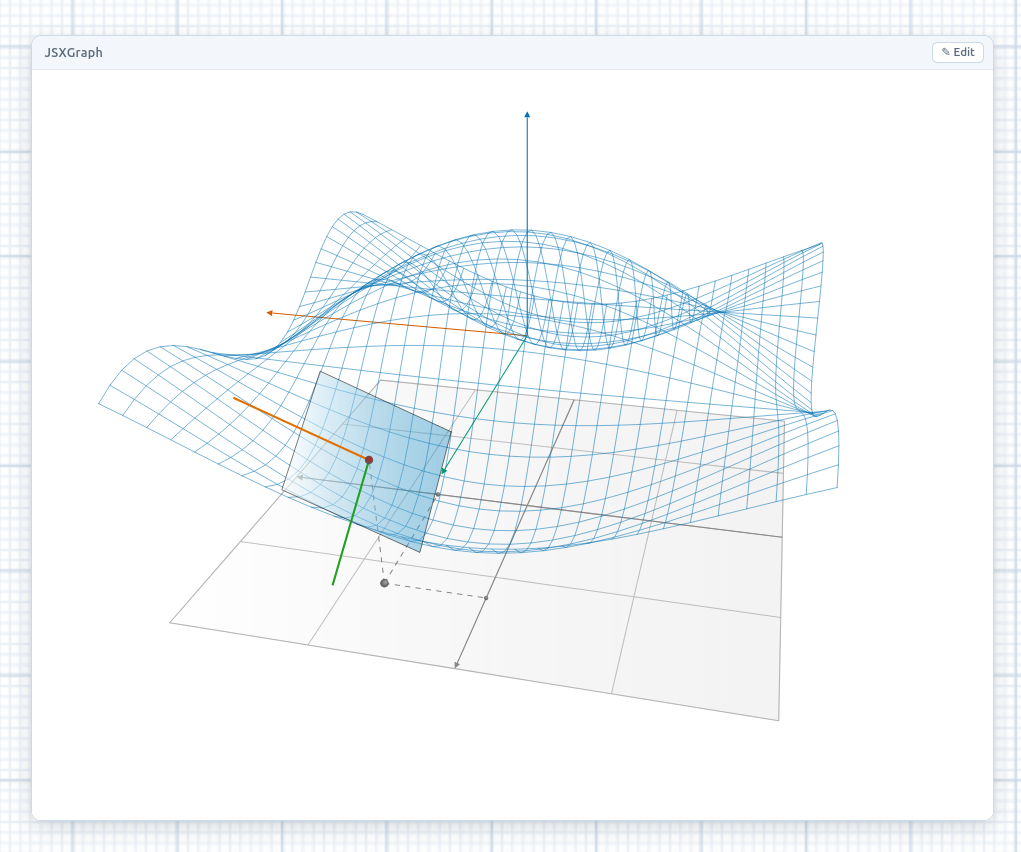
Right-click → Math → JSXGraph drops an interactive geometry / function plot powered by JSXGraph: draggable points, sliders, curves, and live constructions. Unlike a KaTeX formula it’s interactive, so it uses the same windowed chrome as HTML5 snippets — a draggable header, a bottom-right resize grip, a ×, and the ⚓ anchor — and the graph itself stays fully live inside.
A construction is plain JavaScript using the standard JSXGraph API:
const board = JXG.JSXGraph.initBoard("jxgbox", {
  boundingbox: [-5, 5, 5, -5],
  axis: true,
});
board.create("functiongraph", [(x) => Math.sin(x)]);
board.create("point", [1, 2], { name: "A" });
The code runs in a sandboxed iframe (like HTML5 snippets): the graph is fully interactive, but the code can’t reach the rest of the board. Runtime errors show as a red message inside the frame.
✎ Edit (or double-clicking the header) swaps the graph for the source
editor — with JavaScript syntax highlighting — and Submit re-renders.
The editor has the same 🪄 magic wand: describe the construction (“a unit
circle with a draggable point on it”) and the LLM streams the JSXGraph code in;
a //> comment marks a targeted edit.
TeX math in chat bubbles
Independently of the board items, chat bubbles typeset TeX math — in your questions, in the model’s answers, and in its collapsible “Thoughts” section:
$$…$$and\[…\]render as centered display formulas.$…$and\(…\)render inline with the text.- Code spans and fenced blocks keep their
$literal, and dollar amounts ($5 and $10) are left alone.
So when an answer arrives full of $$…$$ blocks — as LLMs naturally produce
for math — it reads as typeset equations, not raw TeX. The math engine loads on
demand the first time a bubble contains math (the text shows raw for a moment,
then re-typesets), and stays out of the app’s main bundle otherwise.
Persistence
Both items persist inline in the board document — a formula as a "katex"
record carrying its LaTeX, a construction as a "jsxgraph" record carrying its
code — so they’re synced to collaborators, undoable, and round-trip
through disk export/import like every other overlay. The formula→chat link
persists the same way. KaTeX, JSXGraph, and the bubble math engine are each
loaded on demand the first time they’re used.