Brainstorm
Brainstorm is an infinite, freeform whiteboard where many kinds of thinking share one zoomable surface: streaming chat bubbles, runnable Python code cells, images you can generate and transform, vector drawings, rich-text documents and spreadsheets, event calendars, live HTML5 snippets, and plain notes and text. Think out loud, branch ideas, run the numbers, and sketch it out — all in the same place.
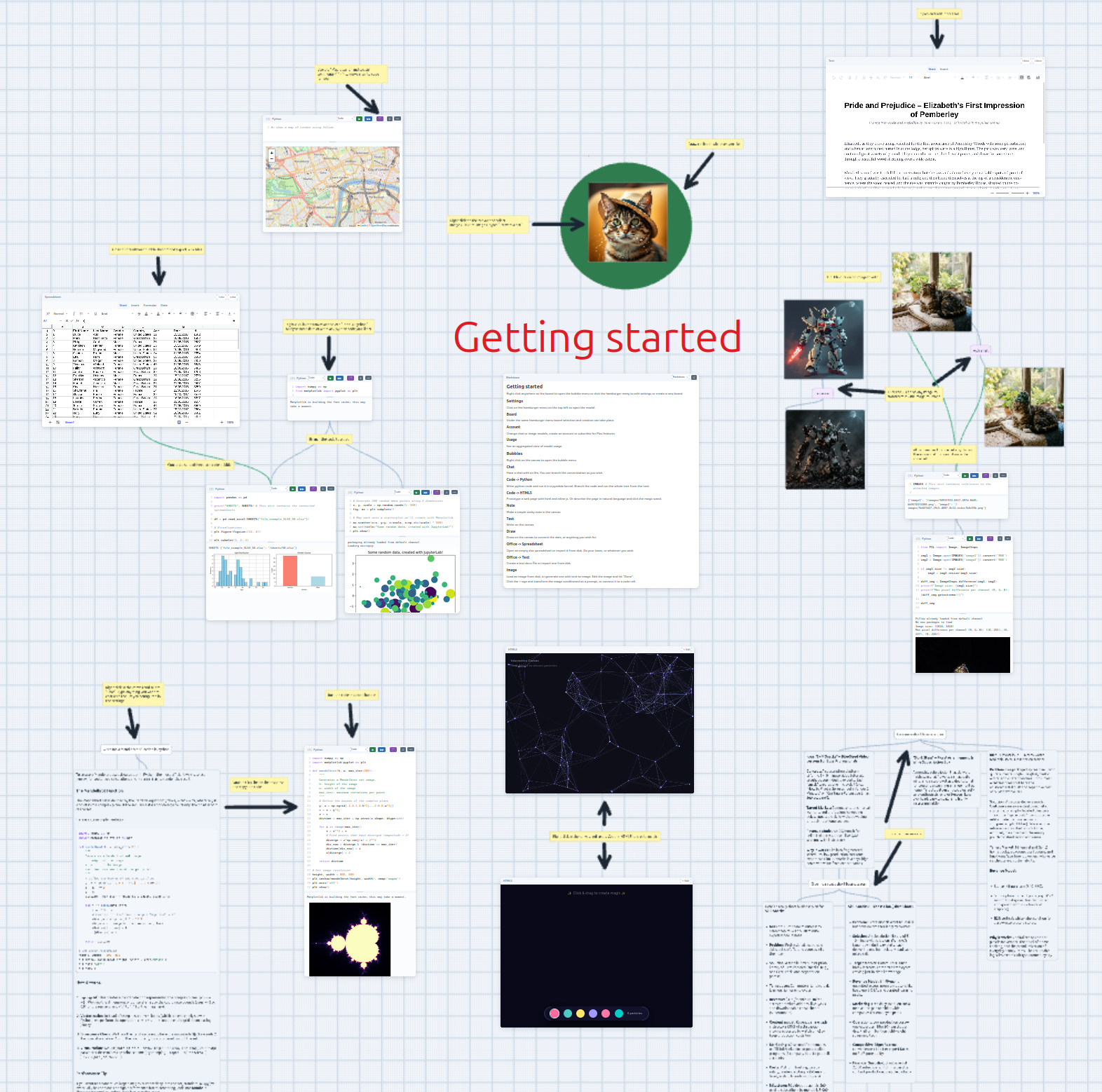
Looking to just try it? Open the app — your board is saved locally in your browser and survives reloads.
What you can do
- Pan and zoom across an infinite millimeter-paper grid.
- Drop chat bubbles that stream answers from any OpenAI-compatible model, and branch the conversation into separate threads.
- Write Python code cells that run right in your browser — with matplotlib figures, pandas tables, rich output, and an LLM magic wand that writes or fixes the cell for you.
- Drop HTML5 snippets that render live in a sandboxed iframe.
- Draw Mermaid charts — flowcharts, sequence and class diagrams, ER, gantt and more — from plain text, right on the board.
- Typeset math: KaTeX formulas on the board, interactive JSXGraph constructions, and TeX math rendered inside chat bubbles — with a + on every formula to ask the LLM about it.
- Put molecules on the board — write a SMILES string, paste a coordinate file, or look one up from PDB/PubChem — and spin the structure in 3D.
- Load, generate, and transform images (image-to-image), edit them inline, and sketch vector drawings.
- Put audio on the board: waveform players for loaded clips, recordings straight from the microphone, and sheet music written in ABC notation — engraved on the board, generated by the LLM, and rendered to playable clips.
- Write rich-text documents and spreadsheets (with
.docx/.xlsximport & export), and link a sheet into a code cell as data. - Schedule events on in-canvas calendars, and jot post-it notes or write free text straight onto the board.
- Keep multiple boards and switch between them.
- Everything persists automatically in your browser — no account needed.
- Subscribe to Plus to sync your boards across devices and collaborate on shared boards in real time.
How the docs are organized
- Getting started — run it locally or use the hosted app.
- The canvas — panning, zooming, the grid, and the right-click menu.
- Chat & LLM — chat bubbles, branching, and connecting a model.
- Code cells — the in-browser kernel, the cell tree, the magic wand, and notebook export.
- HTML5 snippets — live HTML/CSS/JS in a sandboxed iframe.
- Charts (Mermaid) — flowcharts, sequence, class, ER, gantt and more, rendered bare on the board.
- Math — KaTeX formulas and interactive JSXGraph constructions on the board, chatting about an equation, and TeX math in chat bubbles.
- Science (3DMol) — molecular structures from a SMILES string, a pasted coordinate file, or a PDB/PubChem lookup, rendered live on the board.
- The magic wand — the 🪄 that writes, fixes, and improves code cells, HTML5 snippets, Mermaid charts, and Math items with an LLM.
- Images & drawing — image bubbles, generation, image-to-image transforms, and the paint tools.
- Video — video bubbles, text-to-video, image-to-video, and importing clips.
- Audio — waveform audio bubbles, microphone recording, music notation with playback, and audio as data in code cells.
- Documents & spreadsheets — rich-text
docs and spreadsheets with
.docx/.xlsximport & export. - Boards — creating and managing multiple boards.
- Accounts & billing — signing in, hosted models vs your own key, top-ups, and the Plus subscription.
- Collaboration — cross-device sync and editing shared boards together in real time.
- Persistence — how your work is stored.
Everything here is self-hosted — these pages ship as part of the project and deploy alongside the app and landing page.