Accounts & billing
Brainstorm works with no account at all — bring your own model key and everything runs locally. An account adds hosted models you pay for from a balance (no key wrangling); a Plus subscription adds cloud-synced, collaborative boards on top.
Everything lives under the hamburger menu (top-left), which has four tabs: Boards, Account, Models, and Usage.
Creating an account
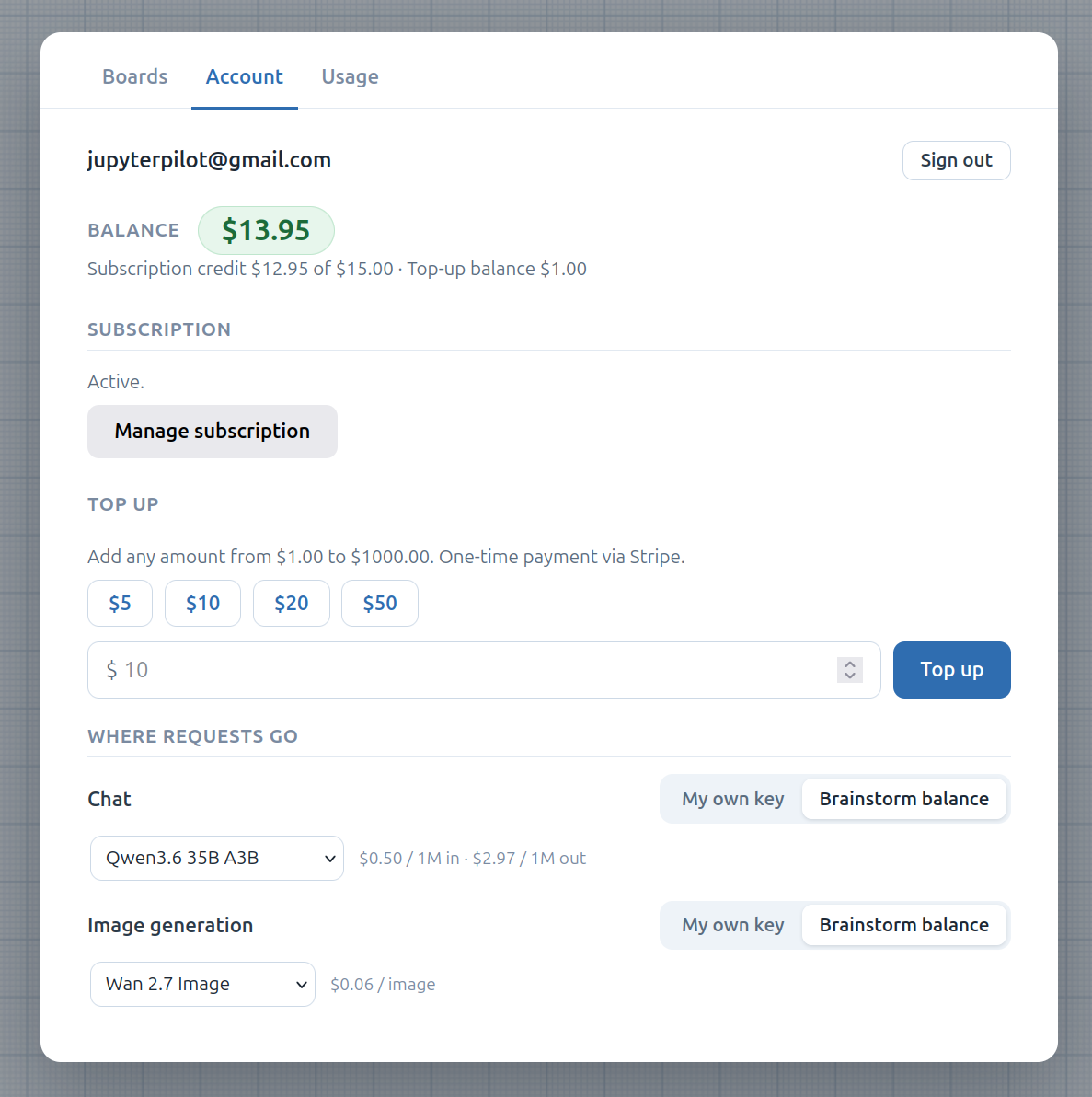
In the Account tab, sign up with email and password or Google. Email sign-ups get a verification link; verifying your address unlocks paid actions and adds a $1 welcome credit to get you started.
You can keep using Brainstorm signed out — you just won’t have hosted models, cloud sync, or collaboration.
Two ways to use a model: BYOK or hosted
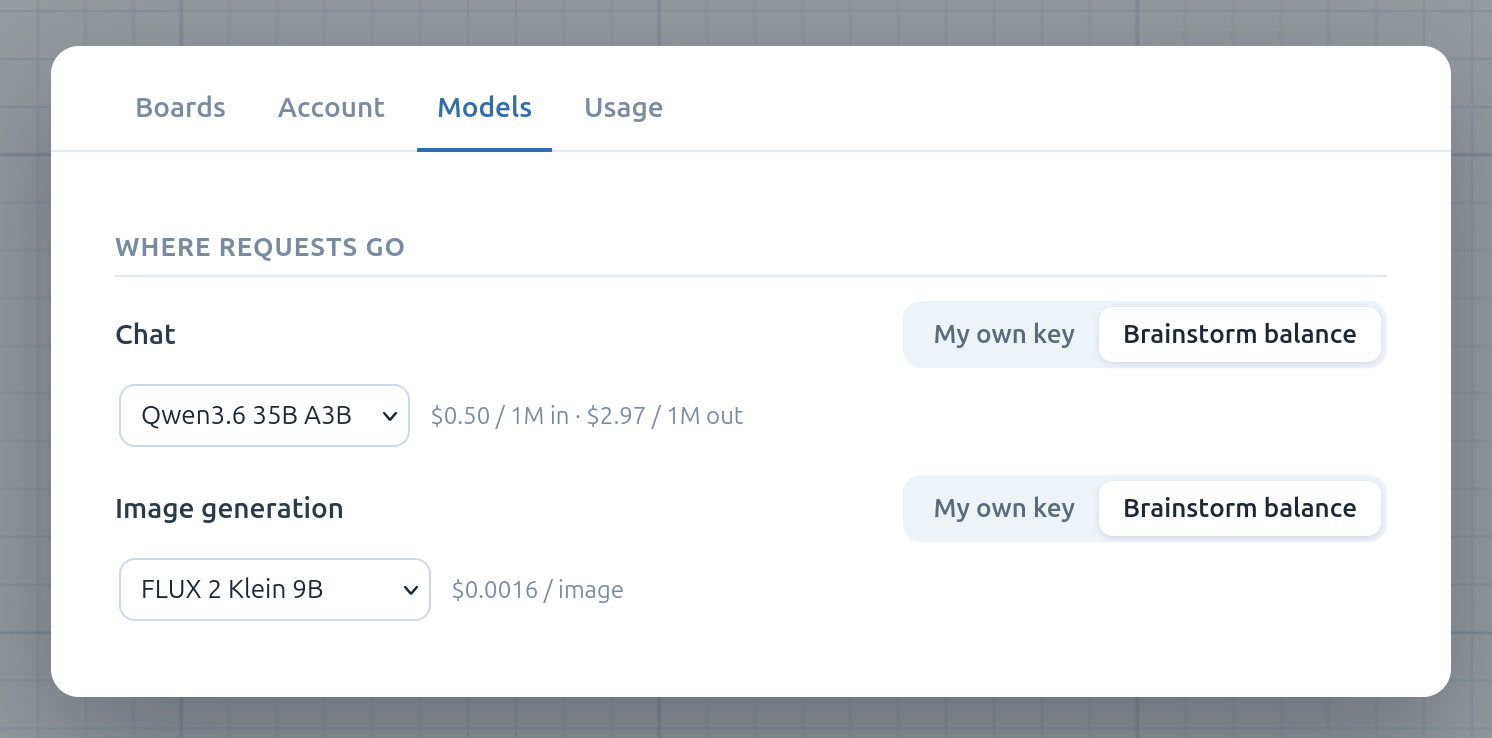
The choice is per feature — you can bring your own key for chat while paying for hosted image generation, or any mix. In the Models tab, each track (Chat and Image generation) offers:
- My own key (BYOK) — point it at any OpenAI-compatible endpoint with your own API key. This is free — requests run from your browser and never touch our balance. See Chat & LLM for the fields.
- Hosted — pick a model from a curated list and we call the provider for you. Each request is metered against your dollar balance at the model’s listed price. No keys to manage.
Balance and top-ups
Your balance is a single dollar amount that funds all hosted usage (chat and image generation draw from the same pool). A balance pill shows the current total.
Top up any amount (from $1) via Stripe Checkout from the Account tab. Top-up balance never expires. Stripe handles payment and tax and emails you a receipt and a VAT invoice (PDF) right after you pay — nothing to chase down.
Plus subscription
Plus is $15/month and adds:
- $15 of usage credit every month — your balance is refilled to $15 of subscription credit each billing cycle (it’s a cap, not a running total: unused credit doesn’t roll over). Hosted usage spends this subscription credit first, then any top-up balance.
- Cloud sync — your boards back up to the cloud and sync across your devices. Without Plus, boards are saved locally only.
- Collaboration — invite people to share and edit boards together. See Collaboration.
Subscribe (and later Manage subscription — update your card or cancel) from the Account tab; both open Stripe’s hosted pages. Stripe emails you a receipt and VAT invoice for every charge, so there’s nothing to view in-app. There’s no free trial, and it’s a single flat plan.
Cloud sync is a Plus feature — free accounts (and signed-out use) keep their boards local to the device. Plus adds both cross-device sync of your own boards and collaboration on shared ones.
If a subscription lapses, your local boards keep working and cloud boards stay readable and downloadable for a retention window; sync just stops pushing new changes until you resubscribe.
Usage
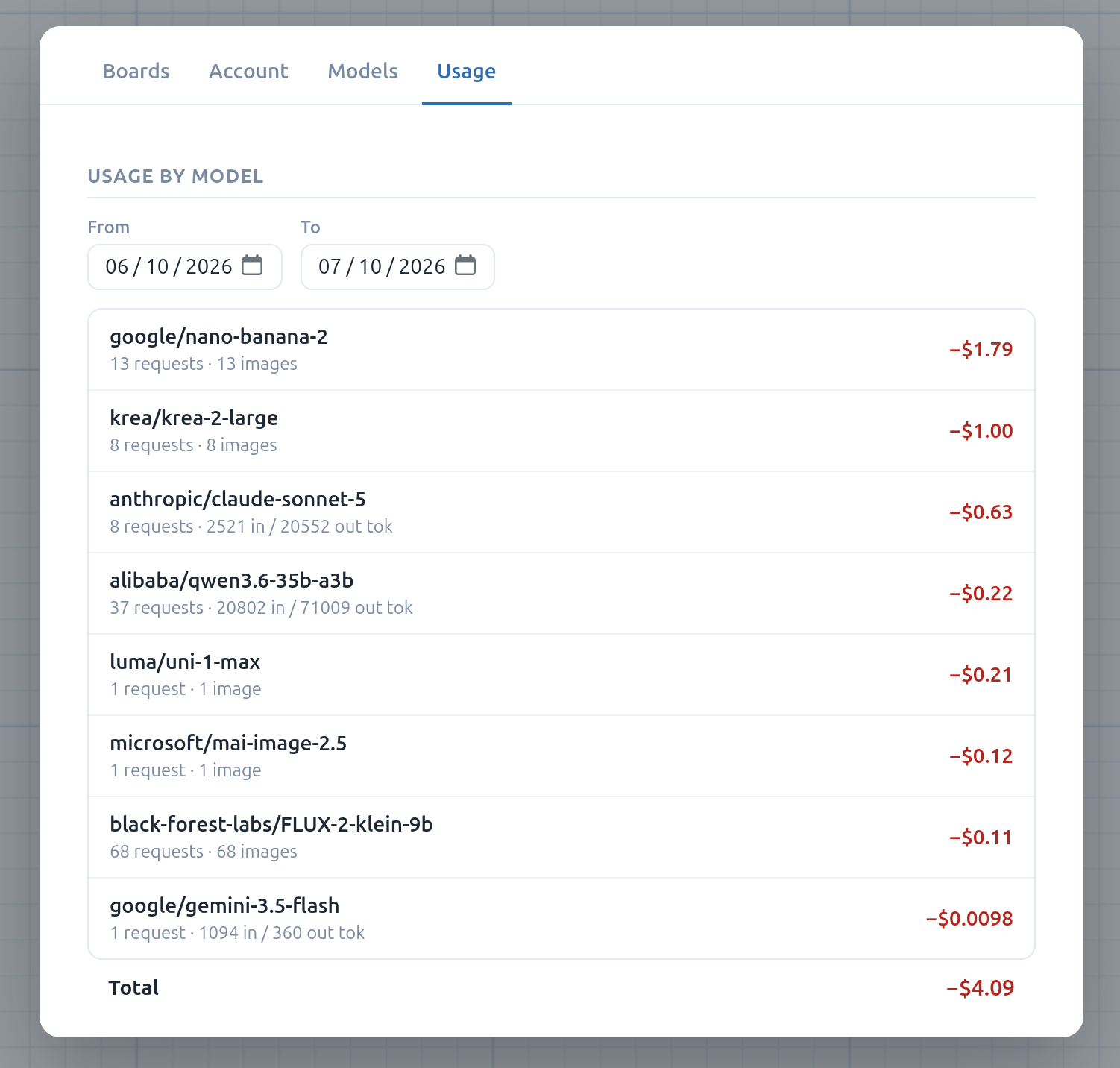
The Usage tab lists your metered hosted requests — per model, with token counts and what each one cost — so you can see where the balance goes. Pick a date range to scope the report, and each row shows the model, its request and token (or image) counts, and the amount charged, with a total at the bottom. BYOK requests don’t appear here (they never touch our servers).