Chat & LLM
Chat bubbles
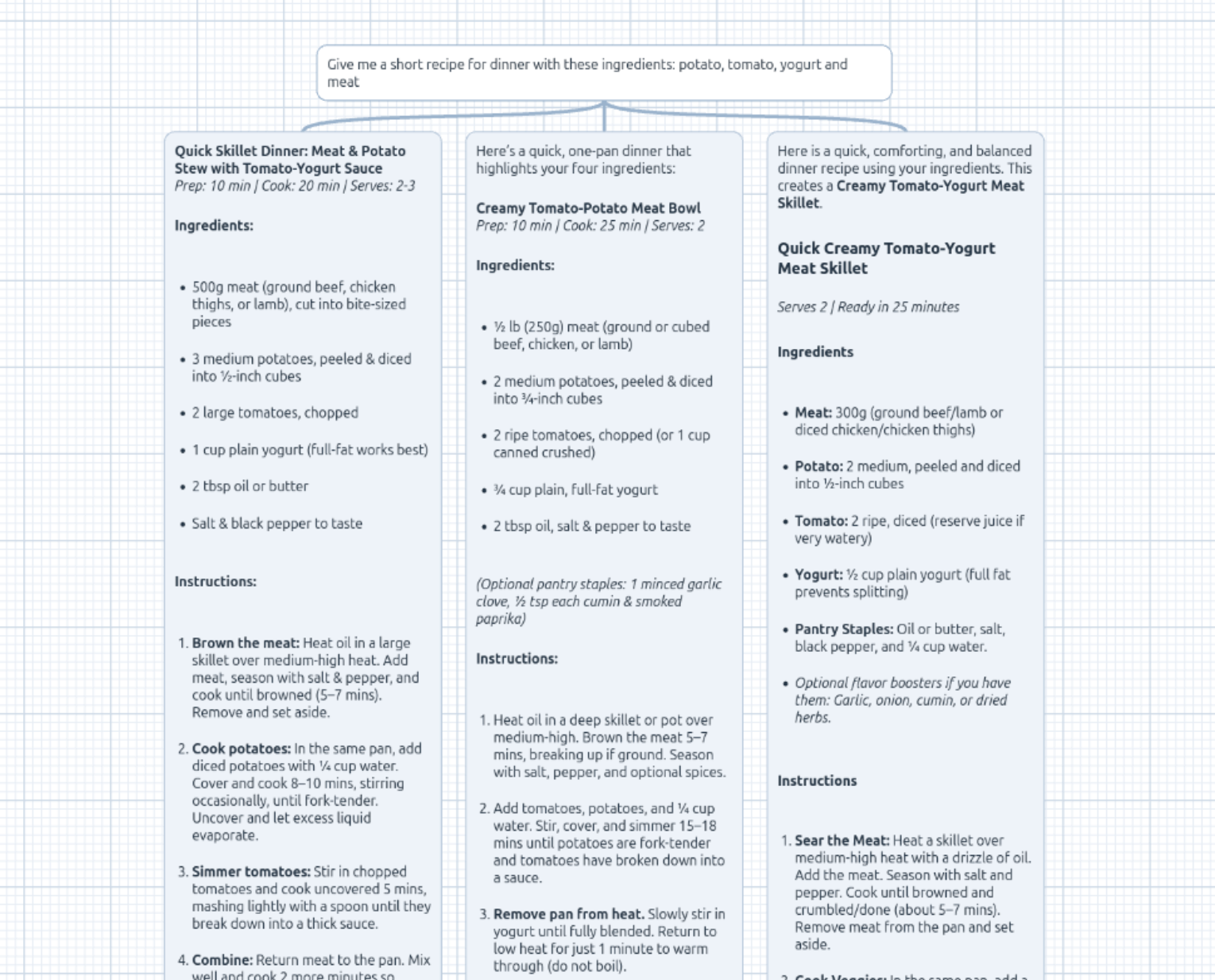
Right-click → Chat drops a bubble you type into. On commit (Enter; Shift+Enter for a newline) it renders and automatically spawns a linked output bubble beneath it, which is answered by the LLM and streamed in token by token.
- Re-edit a prompt by double-clicking it — the answer regenerates.
- Each bubble is independently draggable, and pairs are joined by a Bézier connector.
- TeX math renders typeset:
$$…$$display blocks and$…$inline math in any bubble (questions, answers, and the model’s “Thoughts” alike) render as proper formulas. See Math.
Branching conversations
Every answer has an orange + that spawns a follow-up question beneath it. A turn can have multiple children, so you can explore divergent threads from the same point.
Threaded memory: a turn’s request includes the whole conversation from the root down to that bubble, following the parent chain only — sibling branches are excluded.
Connecting a model
Open the hamburger menu → Models tab. For the Chat track you can pick either path (see Accounts & billing for the full picture):
Bring your own key (free)
Chat is model-agnostic: point it at any OpenAI-compatible endpoint — OpenAI,
OpenRouter, Ollama, vLLM, LM Studio, or a local llama-server. Choose My own
key and set:
| Field | Notes |
|---|---|
| Model | e.g. deepseek-v4-pro |
| Base URL | Omit for OpenAI; set it for any other provider |
| API key | Not needed for local servers |
Values are stored locally in your browser and the request runs from your browser, so this is intended for local or trusted use and never touches our servers.
CORS / hosted endpoints: in dev, requests are routed through a same-origin proxy so any provider works without extra configuration. Just enter your provider’s normal base URL.
Hosted (paid from a balance)
Prefer not to manage keys? Switch the track to hosted, pick a model from the curated list, and each request is metered against your dollar balance. Requires a signed-in account with a balance or a Plus subscription.
Either way, responses stream into the output bubble token by token.